Next-Gen Pipe
Architecture.
hex-shell is an interactive shell and demonstration environment for Hexstream. Written entirely in pure Nitpick, it expands the traditional POSIX 3-stream model into a 6-pipe architecture (stdin, stdout, stderr, stddbg, stddati, stddato) to radically improve observability and data flow.
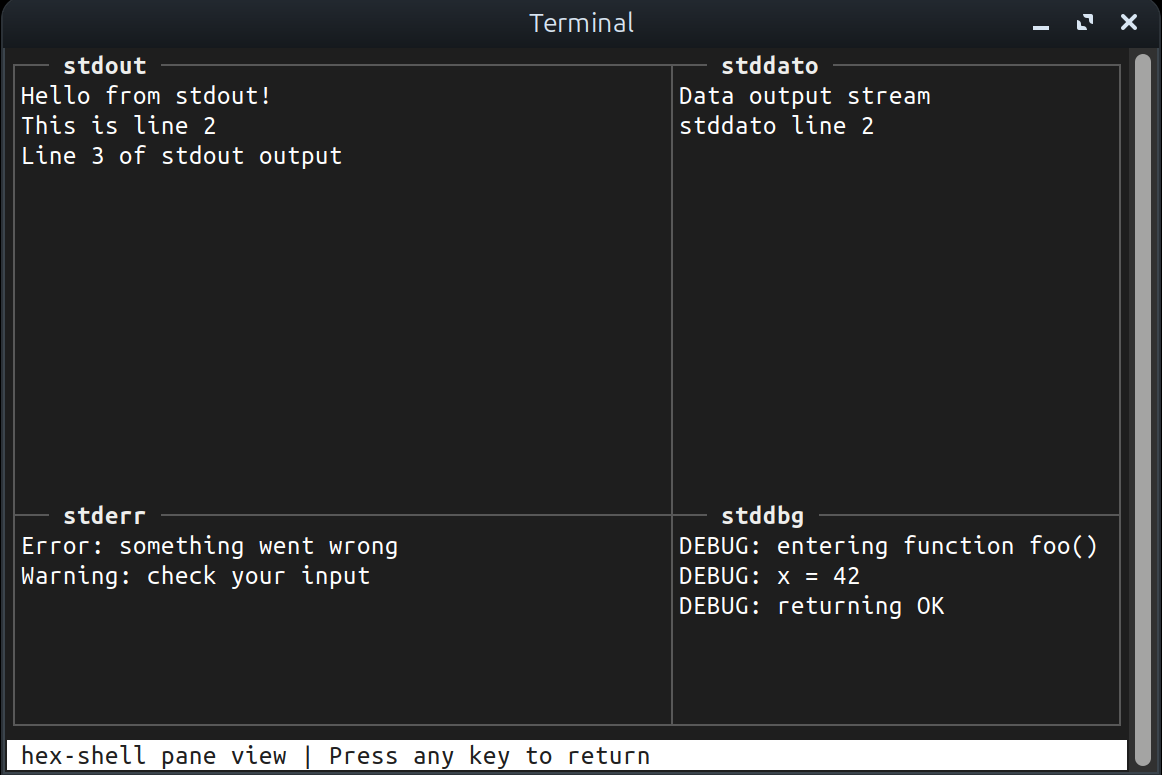
Redefining Terminal I/O
By moving beyond stdout and stderr, hex-shell gives developers fine-grained control and deeper insight into process execution.
6-Stream Hexstream
Native support for 6 I/O pipes. Alongside standard inputs and outputs, processes can communicate via dedicated debug (stddbg), diagnostic (stddati), and data/object (stddato) streams.
4-Pane TUI Viewer
Built-in Terminal User Interface (powered by nitpick-tui) lets you instantly inspect and isolate output from stdout, stderr, stddbg, and stddato in a clean, interactive 4-pane view.
Pure Nitpick Implementation
Built completely with native Nitpick packages. Features a custom memory-safe readline implementation (`hex_readline.npk`) and avoids legacy C standard library strings entirely.
POSIX Compatibility
Familiar built-in commands (`cd`, `pwd`, `clear`, `history`, `help`) with seamless integration into standard POSIX-like workflows, enabling you to use hex-shell as a drop-in testing environment.
Install hex-shell
Requires the npkc compiler toolchain and the standard Nitpick packages.
View Source on GitHub